Making the Jura fit our kitchen
The Jura makes excellent coffee, but its manual routines did not fit the way we use the kitchen.
- 01
Warm before breakfast
A scheduled start lets the machine reach operating temperature before the first coffee.
- 02
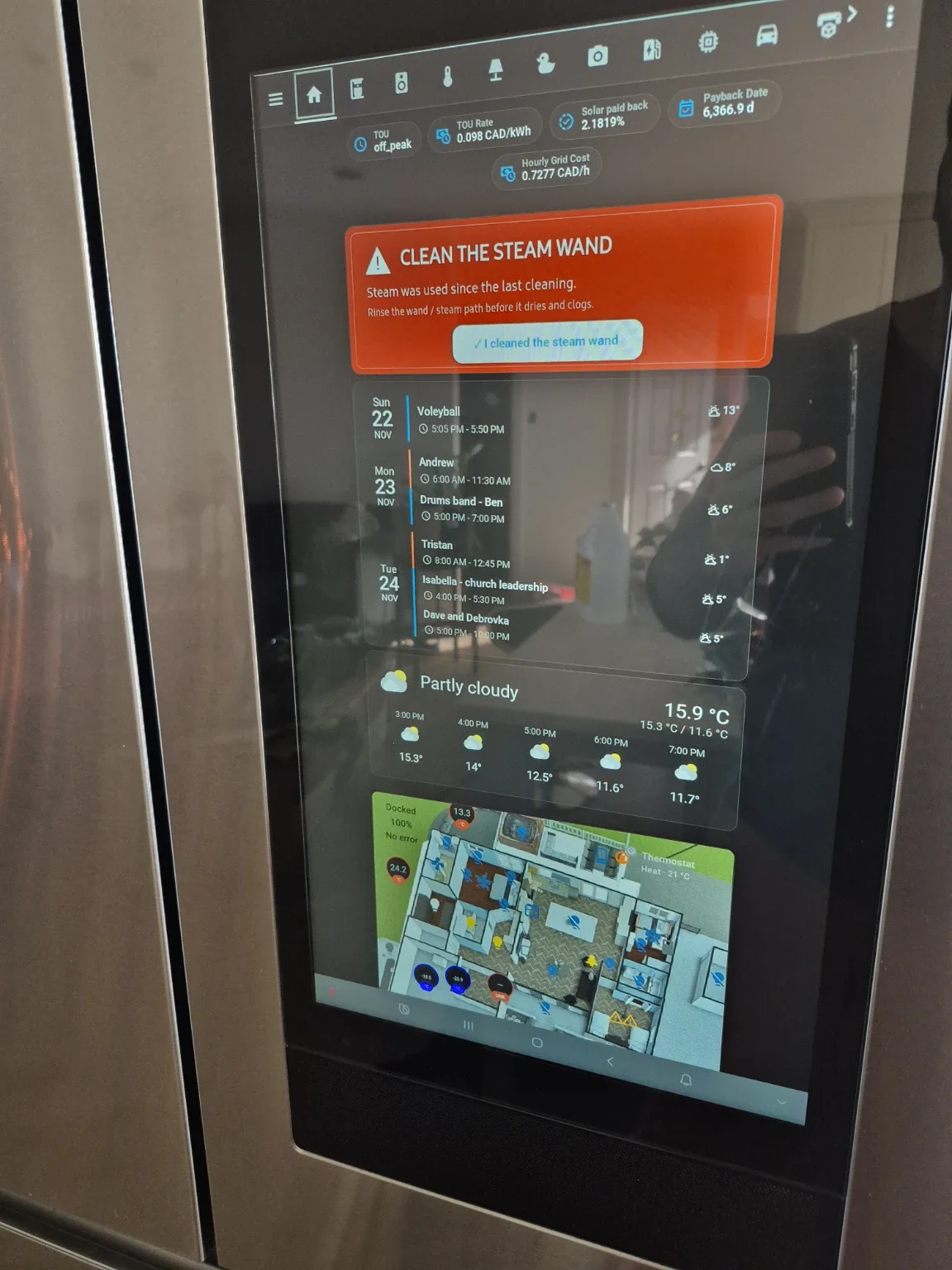
A cleaning reminder that cannot be missed
Using the steam wand sets a prominent Home Assistant reminder. Milk residue previously caused two blockages serious enough to require repairs.
- 03
Cabinet doors as the switch
Opening the doors starts the machine; closing them requests a normal rinse and soft shutdown rather than abruptly removing power.
- 04
Espresso for tiramisu
A sequence of consecutive espresso shots, without repeatedly operating the front panel.
- 05
One-command decaf
Decaf coffee or double decaf espressos for a handmade latte from one button or voice command instead of a multi-press sequence.
- 06
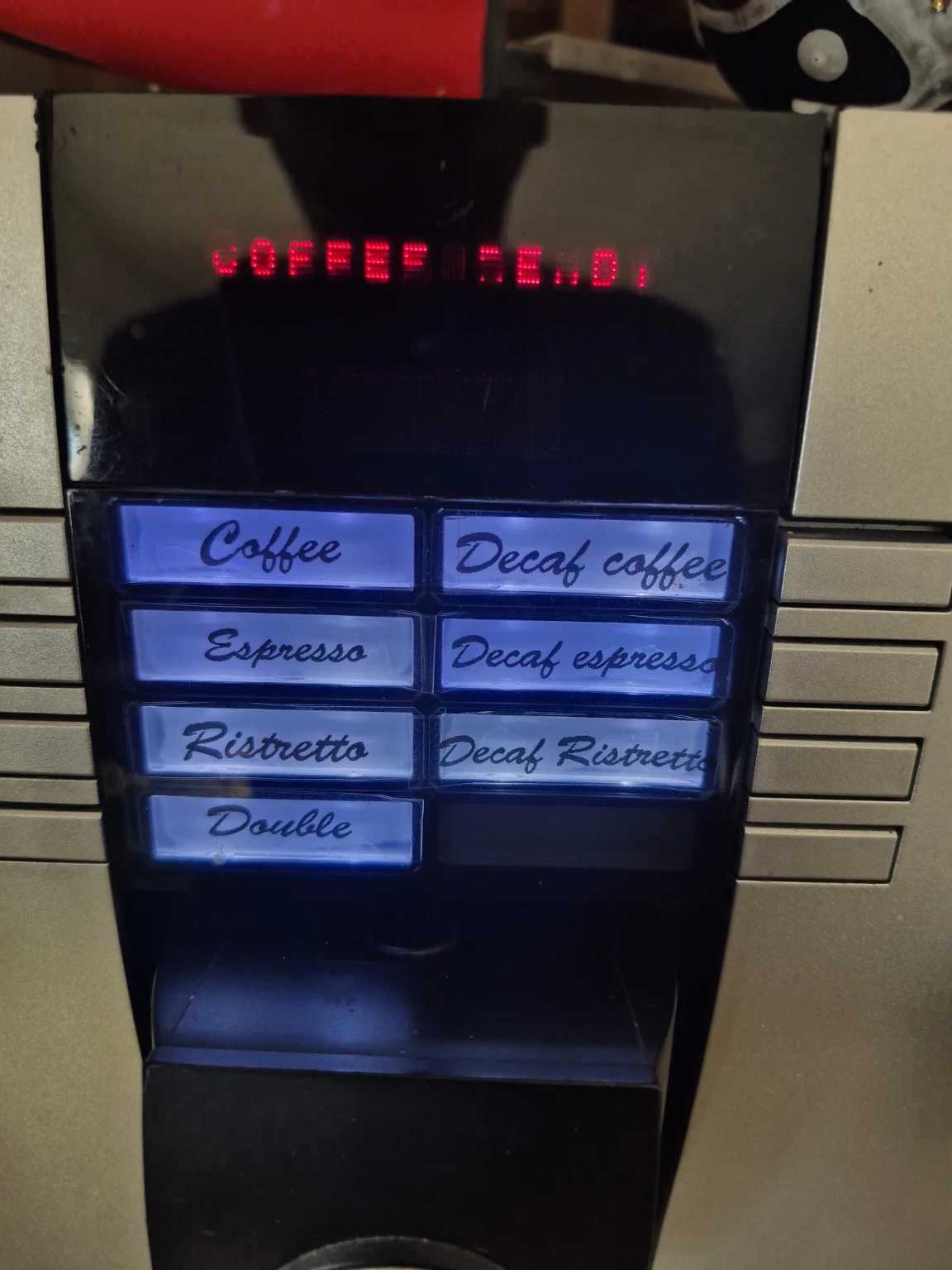
Buttons that match our drinks
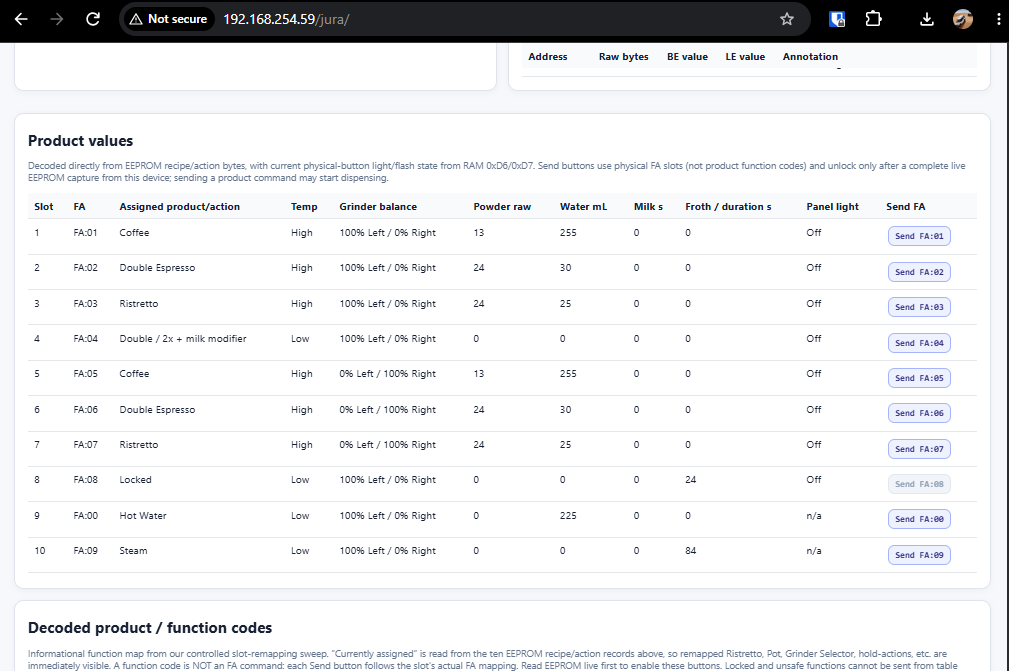
The physical keys were reassigned through the stored recipe/action table, preserving everyday use without an app.
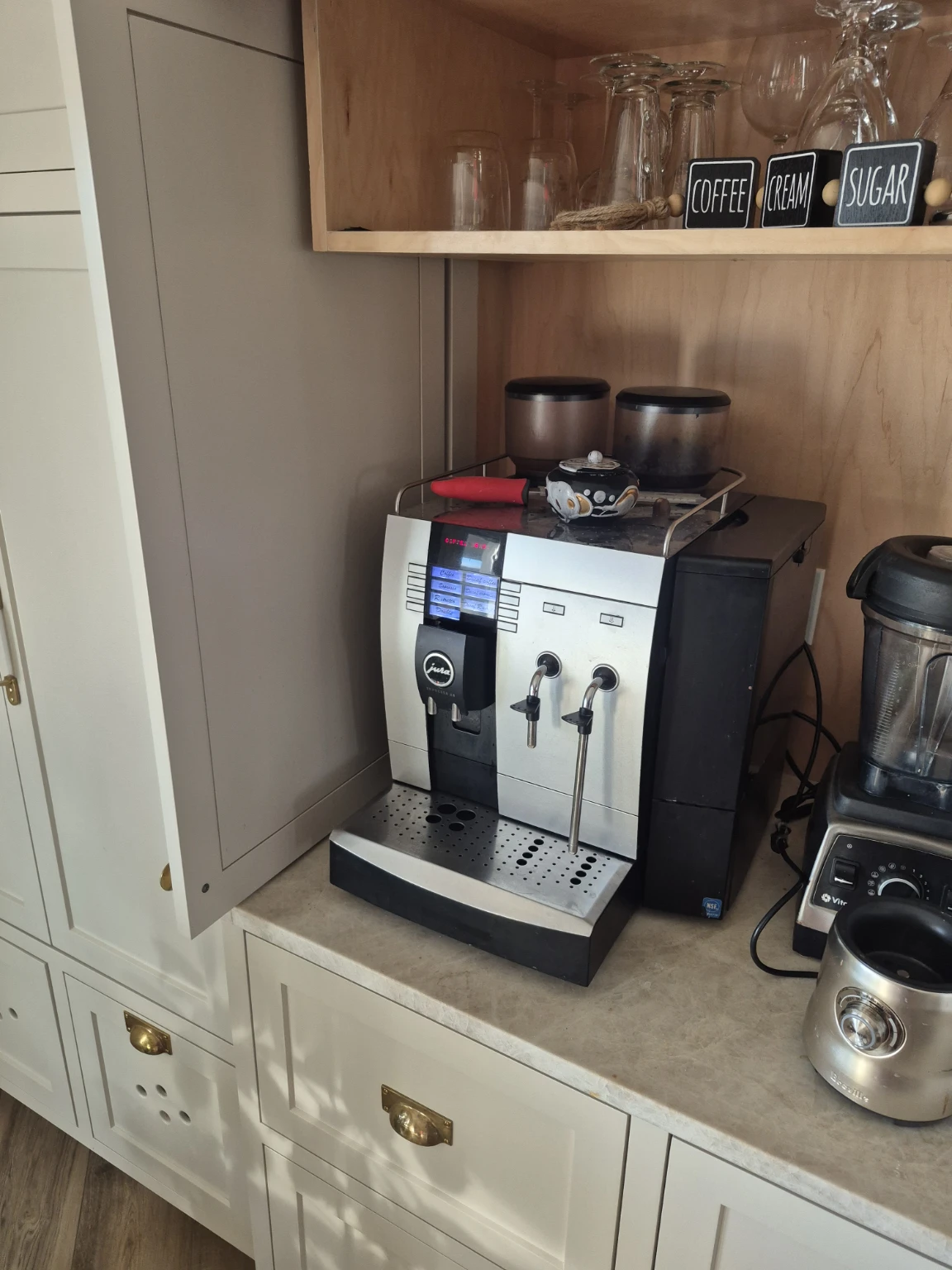
An X9 at home
Keeping the original controls, adding feedback
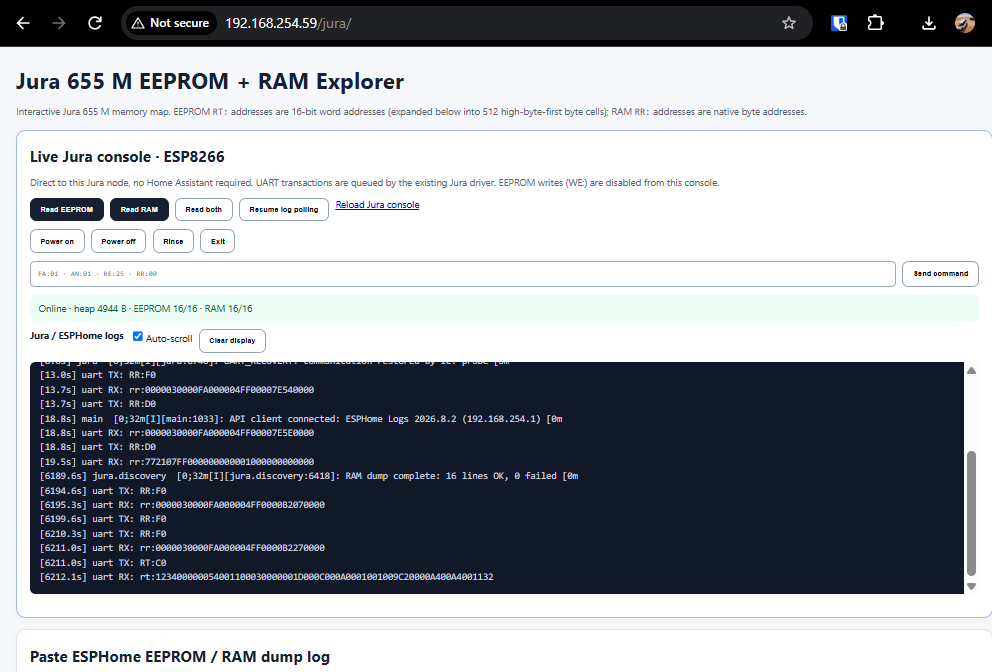
Jura serial-interface research provided the starting point. I built an ESP8266/ESPHome integration and Home Assistant automations that use machine status to sequence drinks and shutdown safely. Commands are queued and coordinated with the appliance rather than assumed to finish immediately.
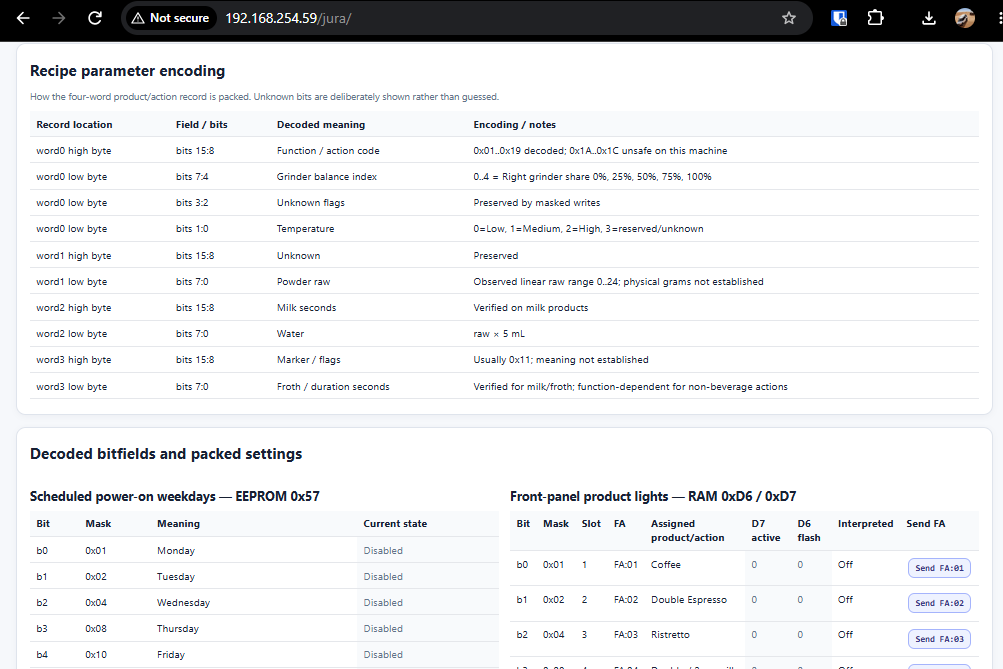
Controlled tests on this 655 M identified ten four-word EEPROM recipe records, front-button function codes and their ingredient settings. Remapping the first word changes what a button does; changing the other fields adjusts quantities, temperature and grinder balance. RAM observations help distinguish a command sent from an operation actually completed.
Explore the captured EEPROM
Open the complete archived dump to examine actual product and maintenance counters, decoded recipes and every raw EEPROM word—including addresses that are still unmapped. The capture records an earlier stage of the investigation, before the front-panel configuration shown above.
OPEN THE EEPROM EXPLORER ↗Development screenshots · live console, recipe table and bitfields